Hello Ethereum Wallets!


You can now login using MetaMask, WalletConnect and +400 Ethereum Wallets on Near!
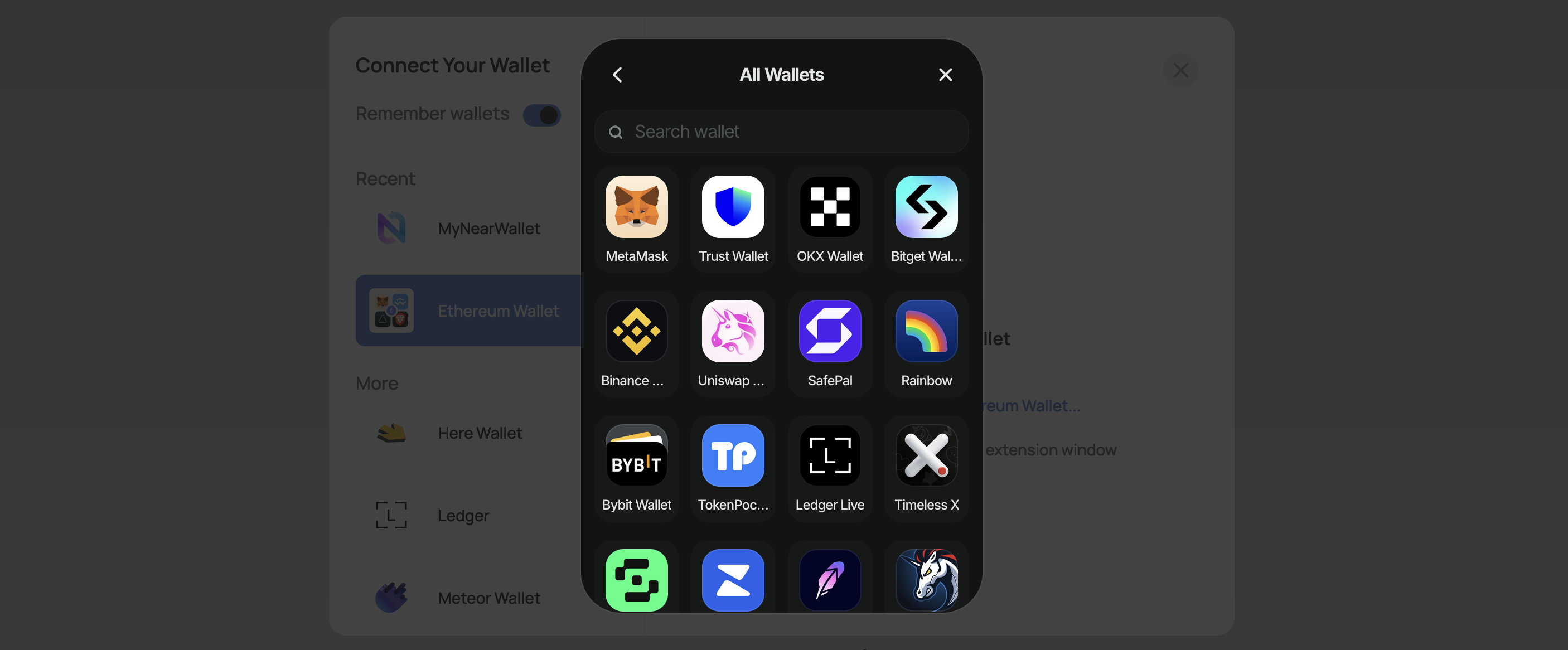
Ethereum Wallets on NEAR
We are excited to announce that NEAR now supports Ethereum wallets! This means that you can now login to NEAR applications using MetaMask, WalletConnect, and over 400 other Ethereum wallets.
In this post, we will explain how Ethereum wallets work on NEAR, and where to find information on how to integrate them into your applications.
How it works
The idea of bringing Ethereum wallets to Near was born on the NEP-518, and the Aurora Labs team worked for over a year to make it a reality.
Since Ethereum wallets create ethereum transactions and talk with ethereum RPCs, the Aurora team had to create three components:
- A
Transaction Encoderservice, that encodes NEAR actions into Ethereum transactions - A
Translator RPCservice, that translates Ethereum RPC calls into NEAR RPC calls - A
Wallet Contractthat allows NEAR accounts to process EVM transactions
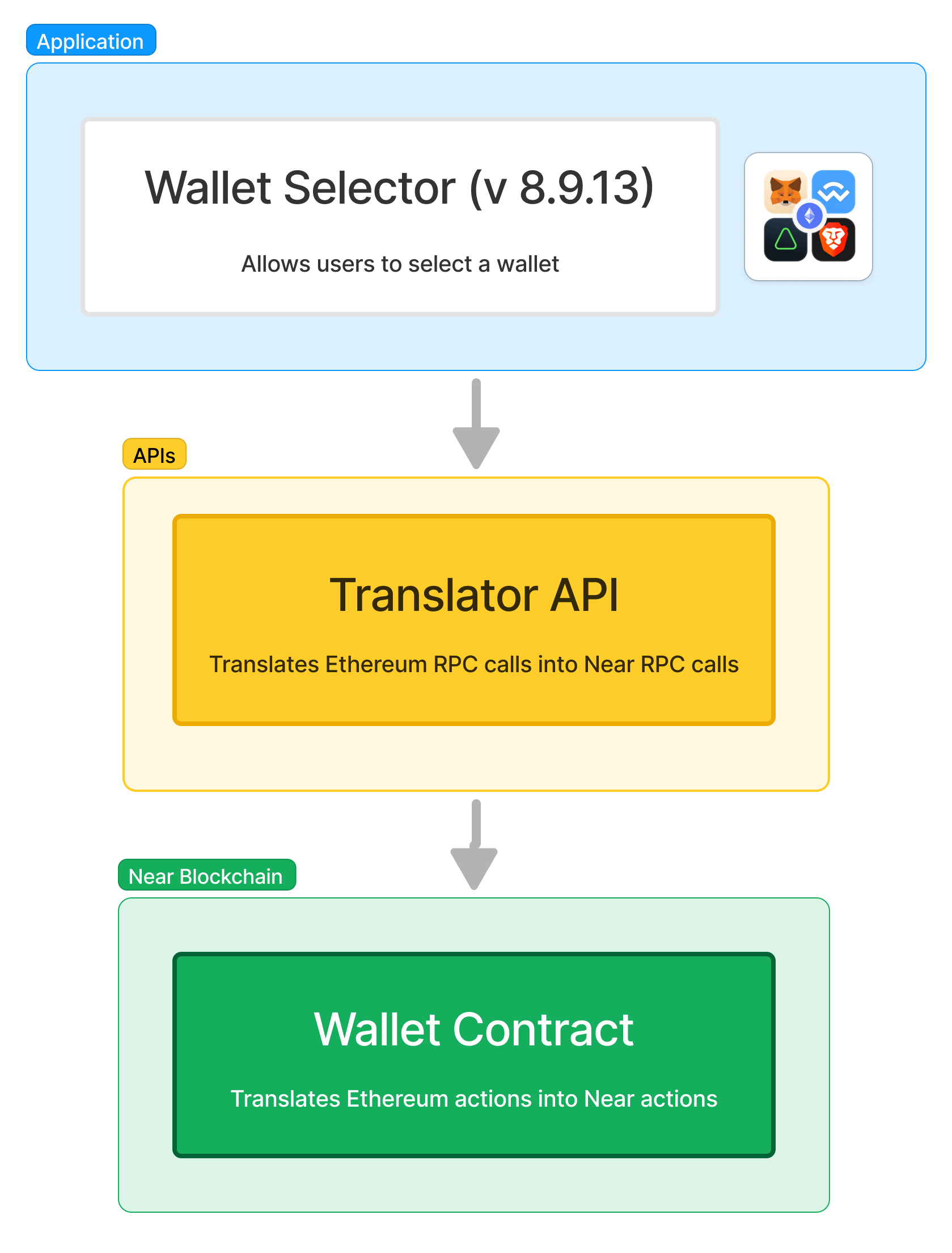
Transaction Encoder
The Transaction Encoder - implemented directly in the NEAR Wallet Selector - takes the intent of the user (e.g. call set_greeting on hello.near) and translates it into an Ethereum transaction that the EVM wallet can sign.
To (field)
The to field of the Ethereum transaction is transformed following these rules:
- If the
receiverIdmatches^0x[a-f0-9]{40}$(e.g.0xD79...314), then thetofield is set to thereceiverId - Otherwise (e.g.
ana.nearor an implicit account) thetofield is set askeccak-256(receiverId)[12,32]
Data (field)
The data field contains the RLP-encoded NEAR actions wanted by the user, encoded as function calls on Ethereum, for example:
FunctionCall(to: string, method: string, args: bytes, yoctoNear: uint32)Transfer(to: string, yoctoNear: uint32)Stake(public_key: bytes, yoctoNear: uint32)AddKey(public_key: bytes, nonce: uint64, is_full_access: bool, allowance: uint256, receiver_id: string, method_names: string[])
For more information on how other fields (such as value, gas, and chainId) are set, please refer to the NEP-518 technical specification
Translator RPC
The Translator RPC is a service deployed at https://eth-rpc.mainnet.near.org (for mainnet) and https://eth-rpc.testnet.near.org (for testnet) that translates Ethereum RPC calls into NEAR RPC calls.
In other words, the Translator RPC simply acts as a relayer, taking the Ethereum transactions signed by the user and translating them into a function call into the Wallet Contract deployed in the user's account.
Wallet Contract
The Wallet Contract is a smart contract on NEAR that allows NEAR accounts to process EVM transactions.
The contract exposes a method called rlp_execute, which takes as argument an RLP-encoded Ethereum transaction, verifies its signature, and executes the NEAR actions encoded in the data field of the transaction.
Every NEAR account created through an EVM wallet has the Wallet Contract deployed on it.
Remember that in NEAR all accounts can have contracts, and that contracts can perform all the actions that the account can do.
Using the Account
First Time Login
Imagine your account on Metamask is 0xD79...314, and you want to login on a Near application.
The first time you login through your EVM wallet, the wallet selector will contact the account ethereum-wallets.near to create a NEAR account with the same address as your Ethereum wallet. For example, if your address on Metamask is 0xD79...314, the NEAR account created will be 0xD79...314.
On this account, the Wallet Contract is deployed and a function-call key is added for the rlp_execute function of the contract.
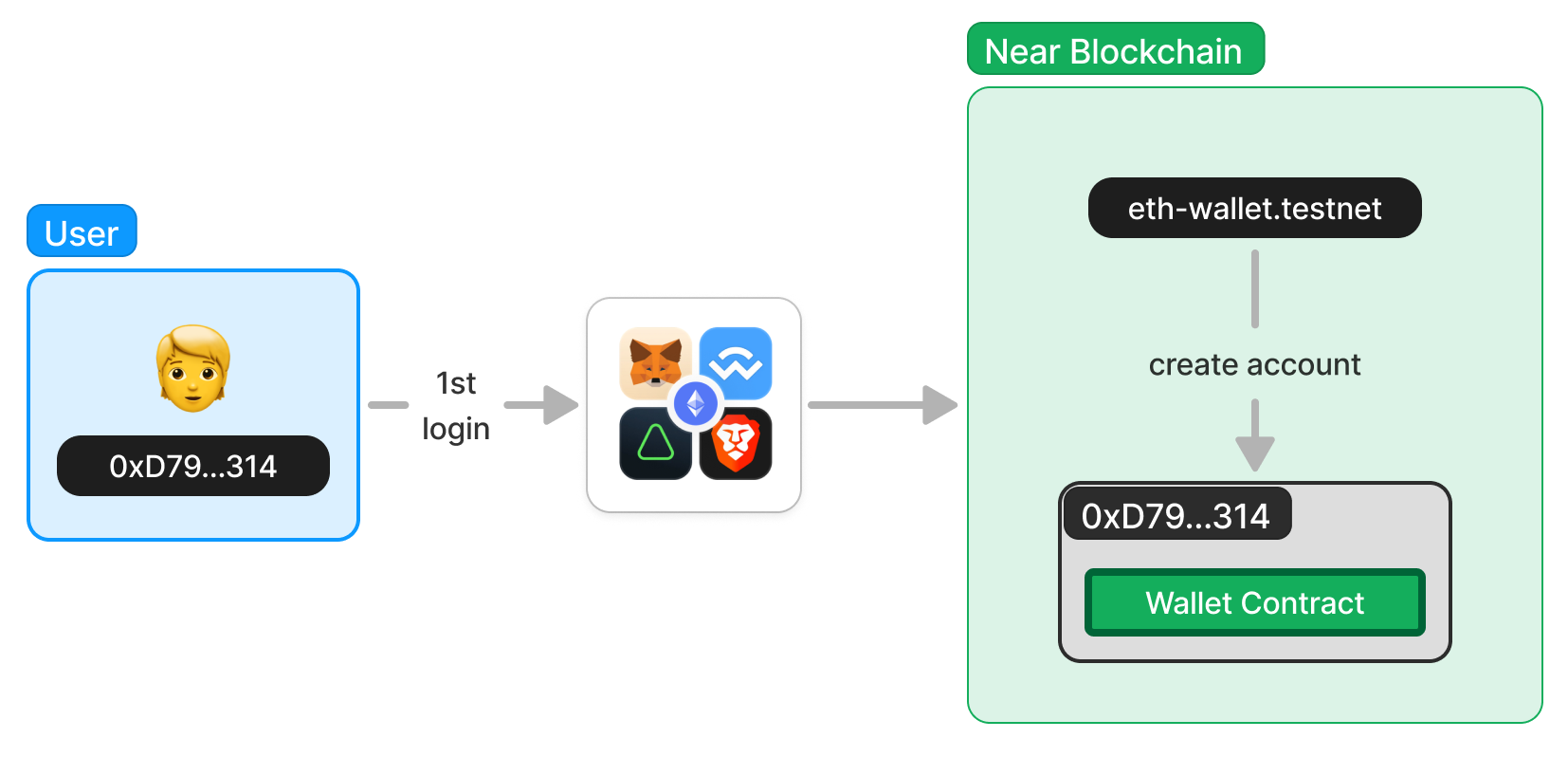
Interacting with Applications
Once you have logged in, you can start interacting with the application. If at some point the application needs to interact with the blockchain, Metamask will ask you to sign a transaction.
Under the hood, Metamask will create an Ethereum transaction and send it to the Translator API, deployed at https://eth-rpc.mainnet.near.org.
The Translator API will then translate the Ethereum transaction into a function call into the Wallet Contract deployed in your account. Particularly, it will call the rlp_execute function, passing the Ethereum transaction as an argument.
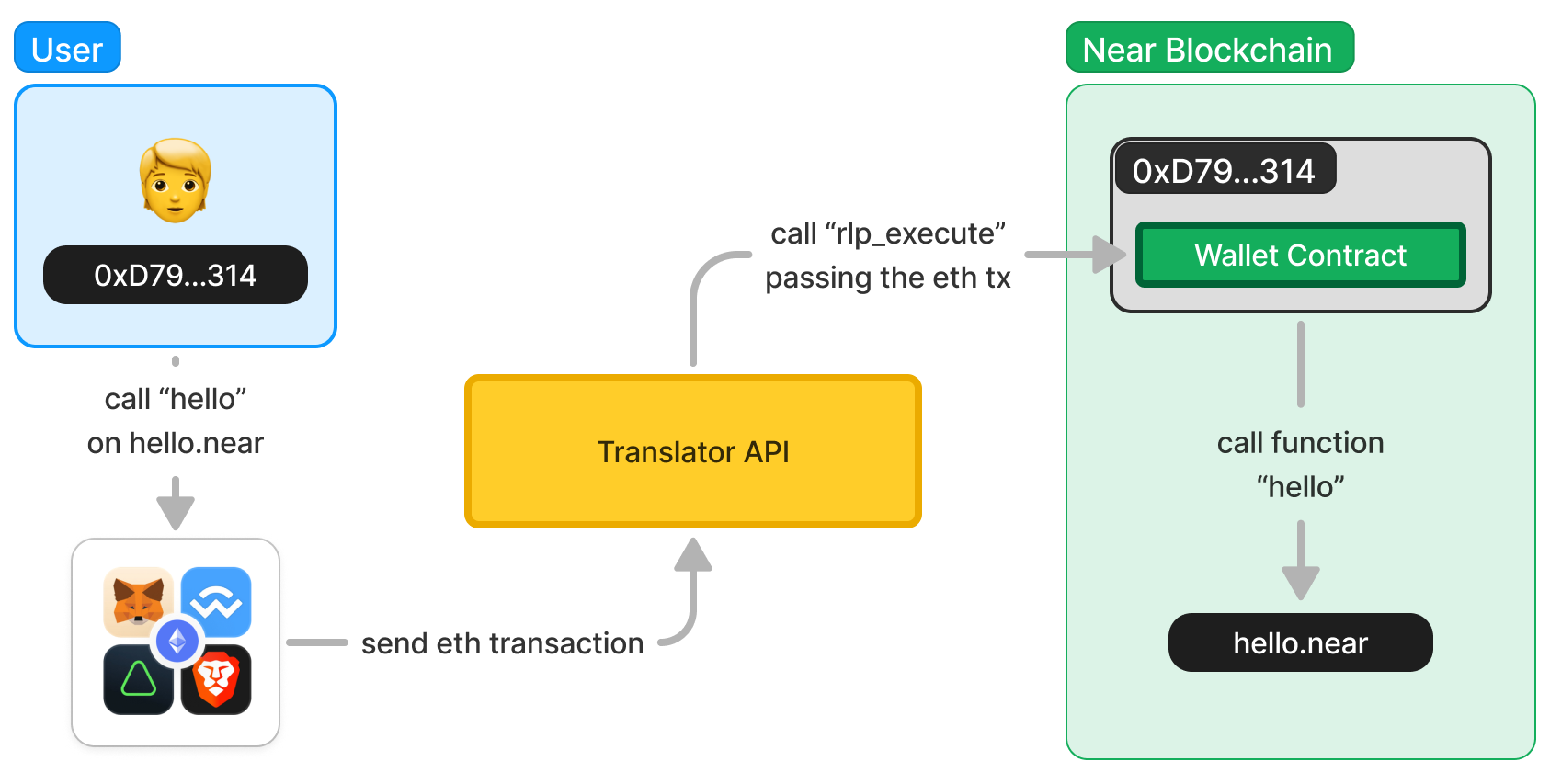
The Wallet Contract will then execute the function call, and the application will receive the result.
Check this transaction in our explorer to see the full execution path
Updating your Application
In order to support Ethereum wallets, you only need to update your version of wallet-selector, and configure it to include the new ethereum-wallets module.
Do not worry! it is very simple, check the working example hello world frontend.
Resources
-
NEP-518, the proposal that started it all